 |
|

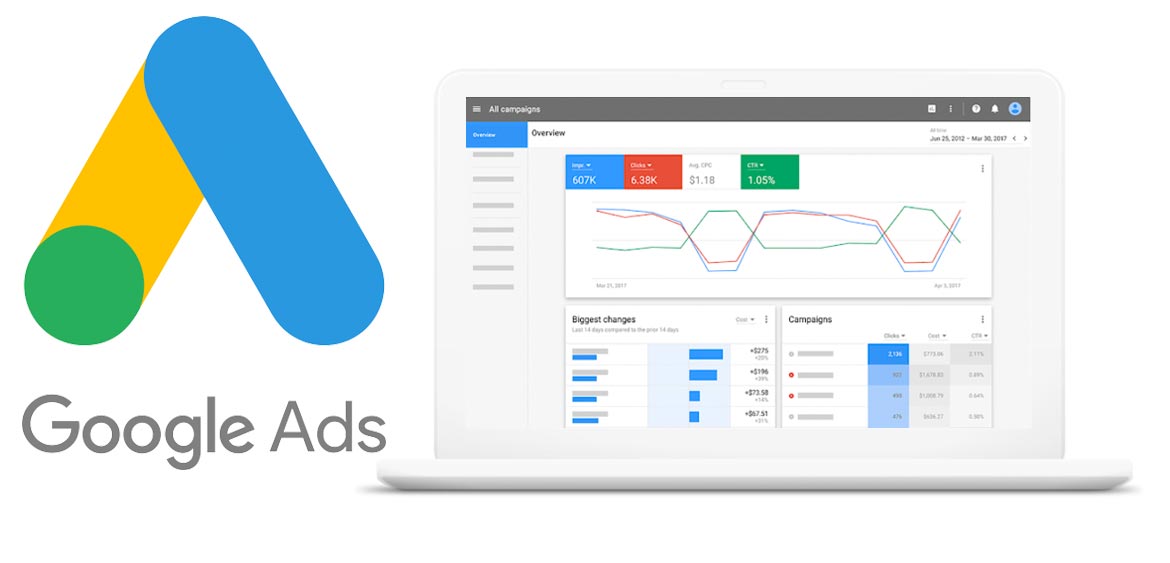
If you have an existing Google Ads account (or you have just set one up) you’ll need to give us access to manage it for you. This means we need to link to your account. Once this linking is in place, we will be able to manage your account via our own.
N.B. You can cancel this linking at any stage, so you are in control.
Step 1 – Give Us Your Customer ID
Log in to your Ads account, your Customer ID is located next to the Google Ads logo. It looks like the screenshot below. Please provide us with this 10-digit number. It is in the format xxx-xxx-xxxx

Step 2 – Accept Our Invitation To Link
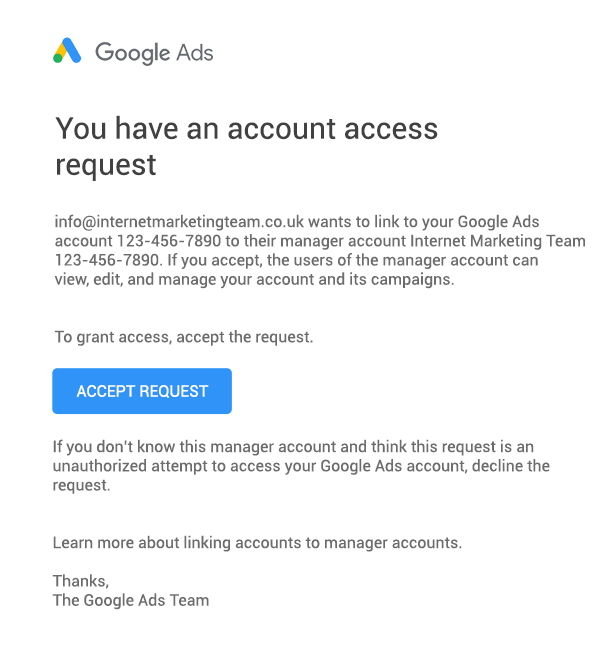
Once we have your 10-digit ID we will send an invitation to link accounts. You’ll also receive an email from Google worded something like this:
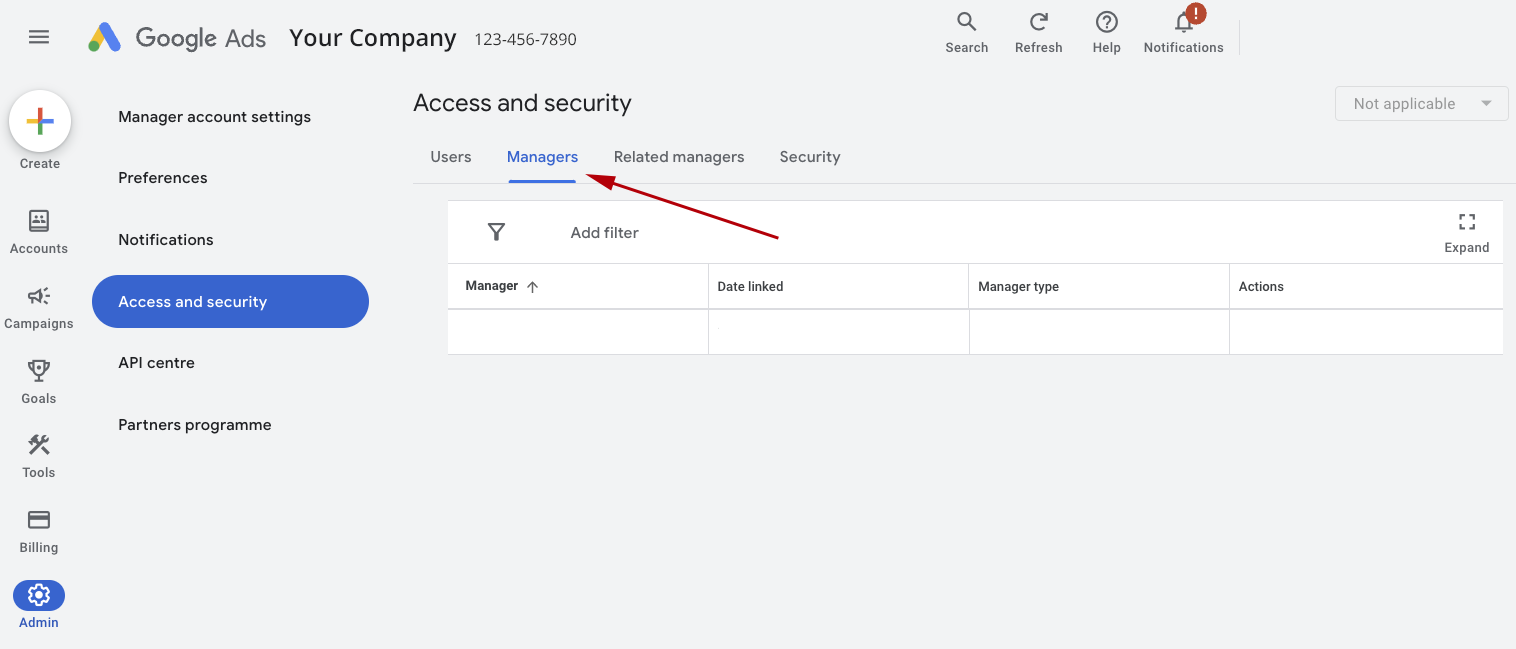
If you do not get an acceptance email from Google Ads, you can log into your Google Ads dashboard and click the cog icon on the right menu for “Admin” followed by “Access and security”
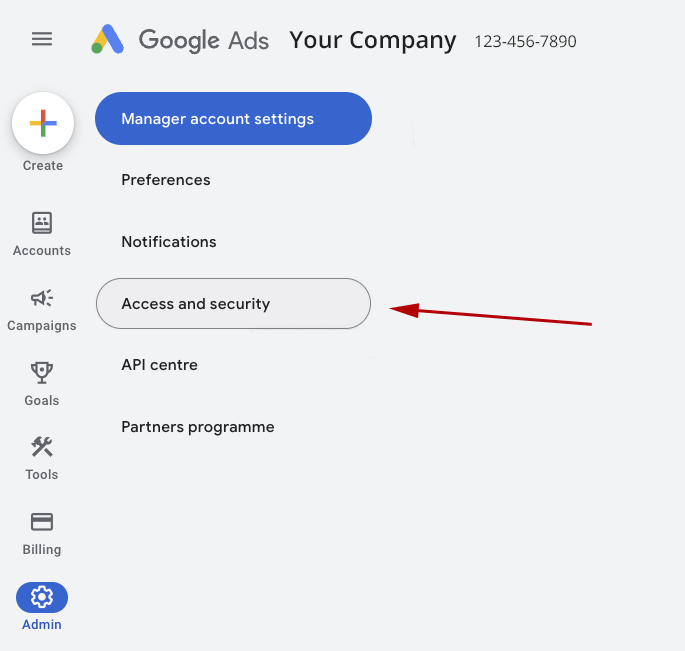
On this page, click the “Managers” tab and you will see our Link Request. Click “Accept”
Click “Grant Access”
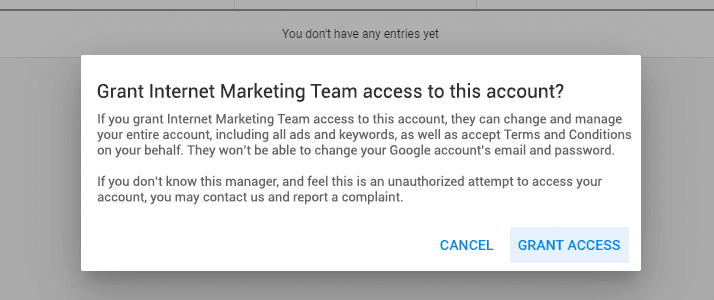
We are linked!
And that’s it! We can now manage your Google Ads account remotely. If you have any questions or problems regarding this process, just get in touch.
Talk to us about Google Ads.
Call us FREE from mobiles and landlines on 0800 044 3664 and speak with one of our digital marketing experts to request more information or schedule a meeting.
